
Add Tempo to MetaMask
Select the network that you want to add:
What Is Tempo?
Tempo is a payments-focused Layer 1 blockchain incubated by Stripe and Paradigm that is purpose-built for stablecoin payments. It is EVM-compatible and is optimized for high throughput and sub-second finality. Tempo lets users pay transaction fees in stablecoins rather than a volatile native gas token, making it well-suited for use cases such as merchant payments, payroll, and remittances. The native token of Tempo is USD. Learn more about Tempo on its website.
Steps To Add Tempo to MetaMask
The process of adding Tempo to your wallet may be slightly different depending on the wallet you are using. The steps below are for MetaMask. If you are using a different wallet, there is most likely a similar process that you can follow.
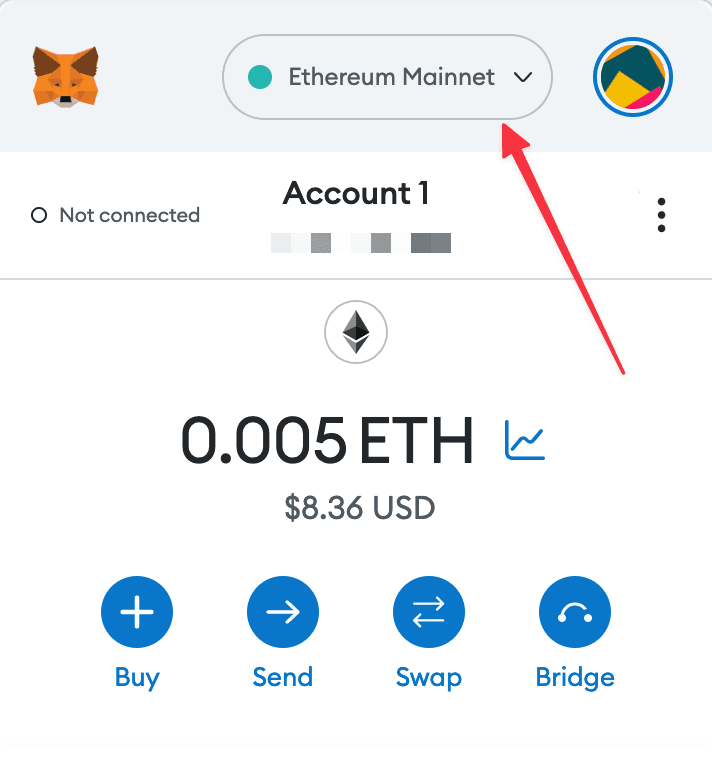
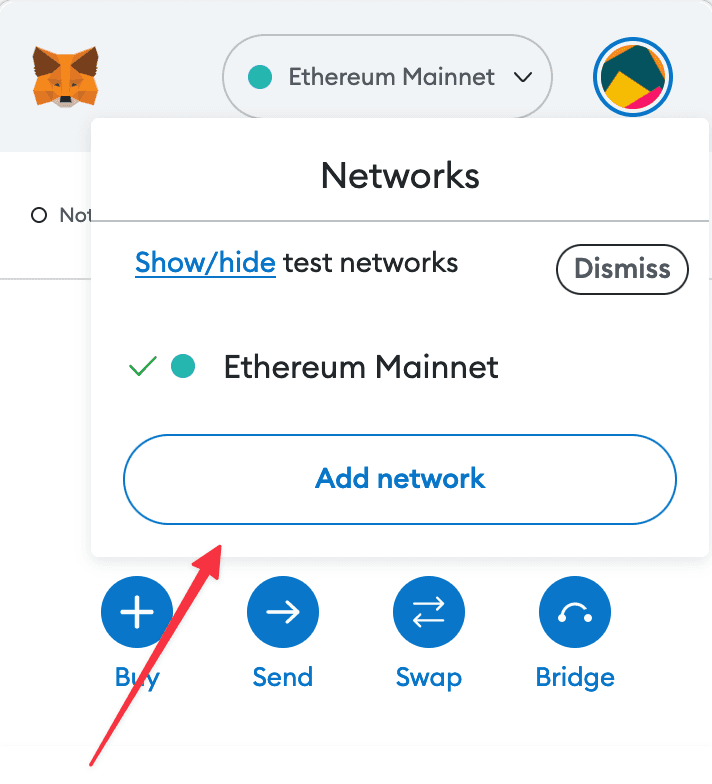
1. Open your wallet and go to the "Add network" page.
2. Enter the required details and click "Save".
After entering all the required details, you can click "Save" to add Tempo to MetaMask.
Alternatively, you can use our one-click button so you don't need to enter the required details manually.