
Add Gensyn to MetaMask
Select the network that you want to add:
What Is Gensyn?
Gensyn is a Layer 1 blockchain that powers a decentralized network for machine learning compute. It aggregates idle compute power from sources such as gaming PCs and data centers into a global, permissionless cluster that anyone can access, offering an open alternative to centralized cloud providers. Participants are rewarded for contributing their compute to perform machine learning tasks. The native token of Gensyn is ETH. Learn more about Gensyn on its website.
Steps To Add Gensyn to MetaMask
The process of adding Gensyn to your wallet may be slightly different depending on the wallet you are using. The steps below are for MetaMask. If you are using a different wallet, there is most likely a similar process that you can follow.
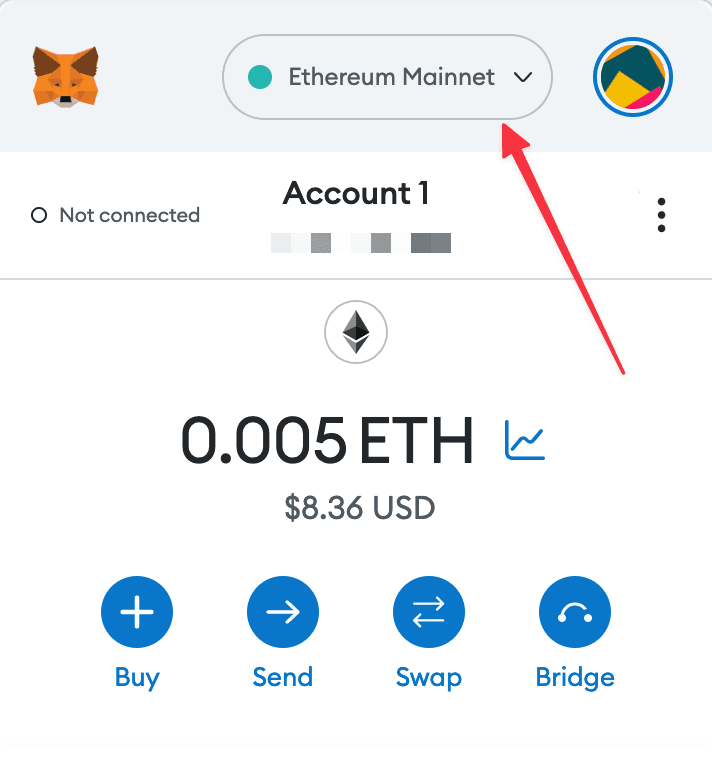
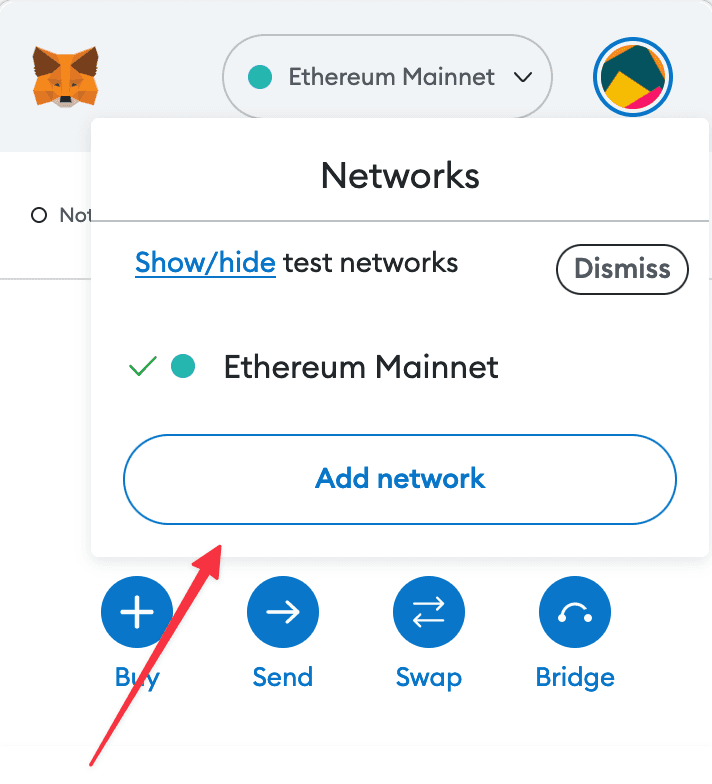
1. Open your wallet and go to the "Add network" page.
2. Enter the required details and click "Save".
After entering all the required details, you can click "Save" to add Gensyn to MetaMask.
Alternatively, you can use our one-click button so you don't need to enter the required details manually.