
Add Elysium to MetaMask
Select the network that you want to add:
What Is Elysium?
Elysium is a Layer 2 blockchain for the Hyperliquid ecosystem, created by the team behind the liquid staking protocol Kinetiq. It uses HYPE as its native gas token, which is bridged 1:1 from HyperEVM. It is built using Arbitrum's Orbit framework with settlement on HyperEVM, and is designed for trading apps, launchpads and AMMs that need more capacity than HyperEVM offers. The native token of Elysium is HYPE. Learn more about Elysium on its website.
Steps To Add Elysium to MetaMask
The process of adding Elysium to your wallet may be slightly different depending on the wallet you are using. The steps below are for MetaMask. If you are using a different wallet, there is most likely a similar process that you can follow.
1. Open your wallet and go to the "Add network" page.
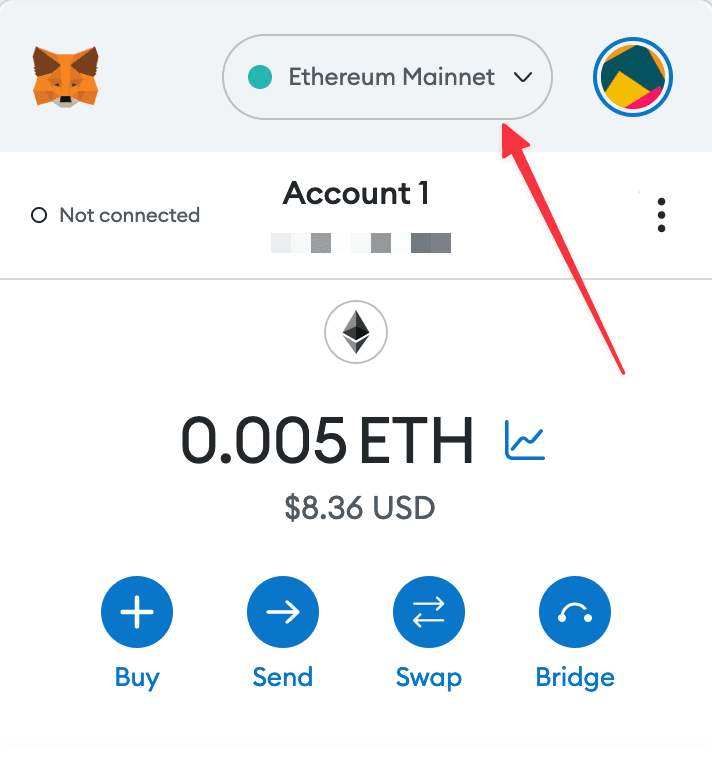
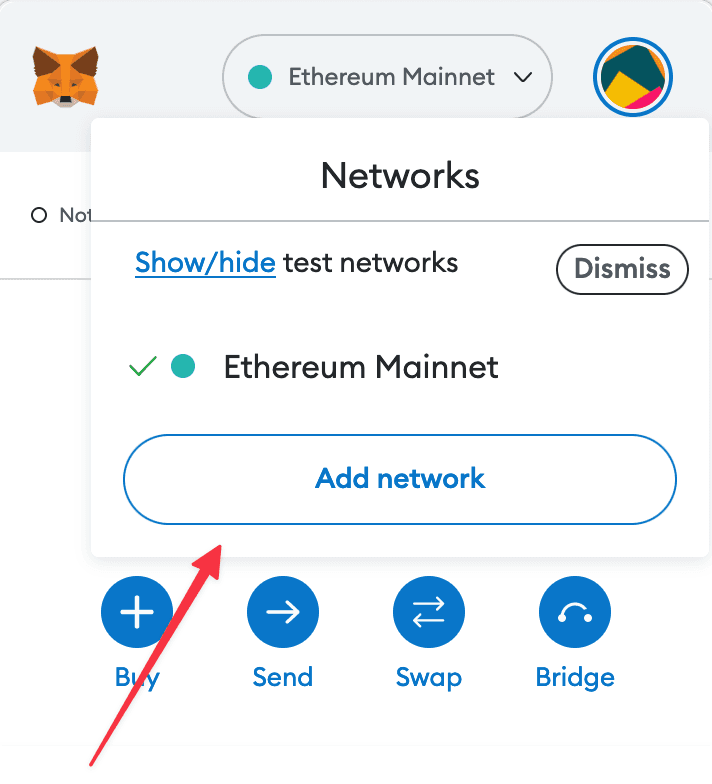
2. Enter the required details and click "Save".
After entering all the required details, you can click "Save" to add Elysium to MetaMask.
Alternatively, you can use our one-click button so you don't need to enter the required details manually.