
Add Doma to MetaMask
Select the network that you want to add:
What Is Doma?
Doma is a Layer 2 blockchain that brings domain names onchain, allowing them to be tokenized, traded and used as collateral in DeFi applications. Domains can also be fractionalized into tokens that represent partial ownership. Doma is built on Optimism's Open Source OP Stack, so just like Optimism it uses optimistic rollup technology. The native token of Doma is ETH. Learn more about Doma on its website.
Steps To Add Doma to MetaMask
The process of adding Doma to your wallet may be slightly different depending on the wallet you are using. The steps below are for MetaMask. If you are using a different wallet, there is most likely a similar process that you can follow.
1. Open your wallet and go to the "Add network" page.
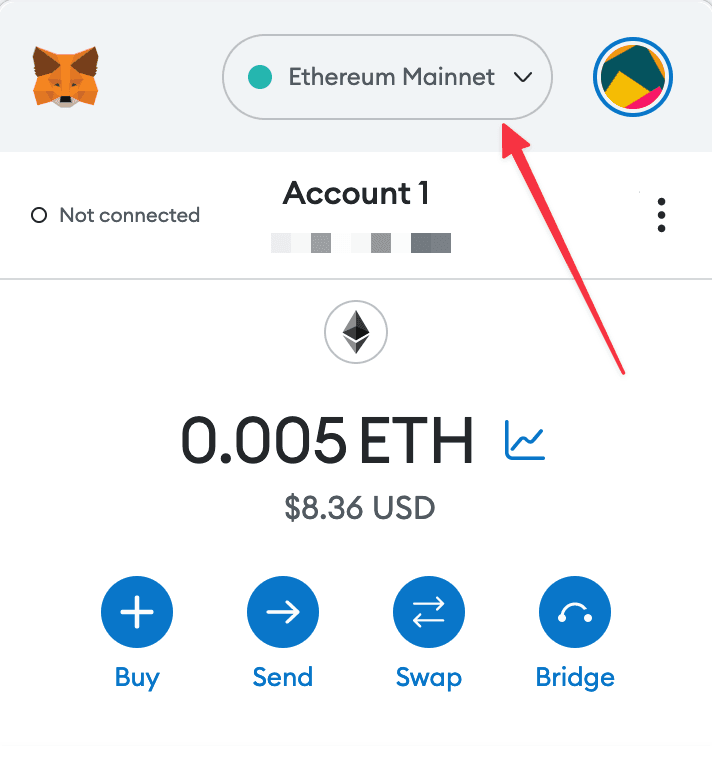
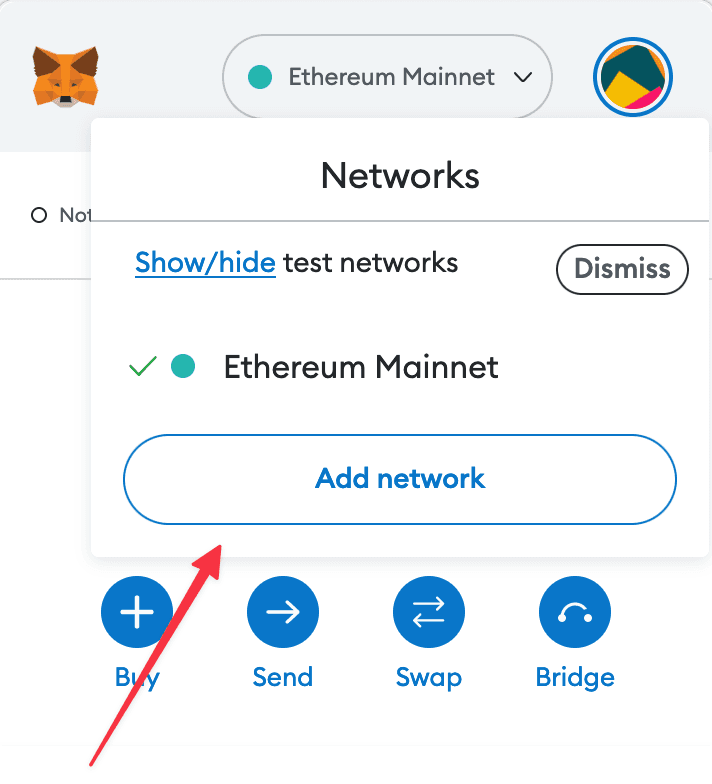
2. Enter the required details and click "Save".
After entering all the required details, you can click "Save" to add Doma to MetaMask.
Alternatively, you can use our one-click button so you don't need to enter the required details manually.