
Add Arc to MetaMask
Select the network that you want to add:
What Is Arc?
Arc is a Layer 1 blockchain built by Circle, the issuer of USDC. It uses USDC as its native gas token and offers deterministic sub-second finality with a validator set made up of financial institutions. Arc is EVM-compatible and is designed for stablecoin payments, onchain foreign exchange, tokenized assets, and capital markets. The native token of Arc is USDC. Learn more about Arc on its website.
Steps To Add Arc to MetaMask
The process of adding Arc to your wallet may be slightly different depending on the wallet you are using. The steps below are for MetaMask. If you are using a different wallet, there is most likely a similar process that you can follow.
1. Open your wallet and go to the "Add network" page.
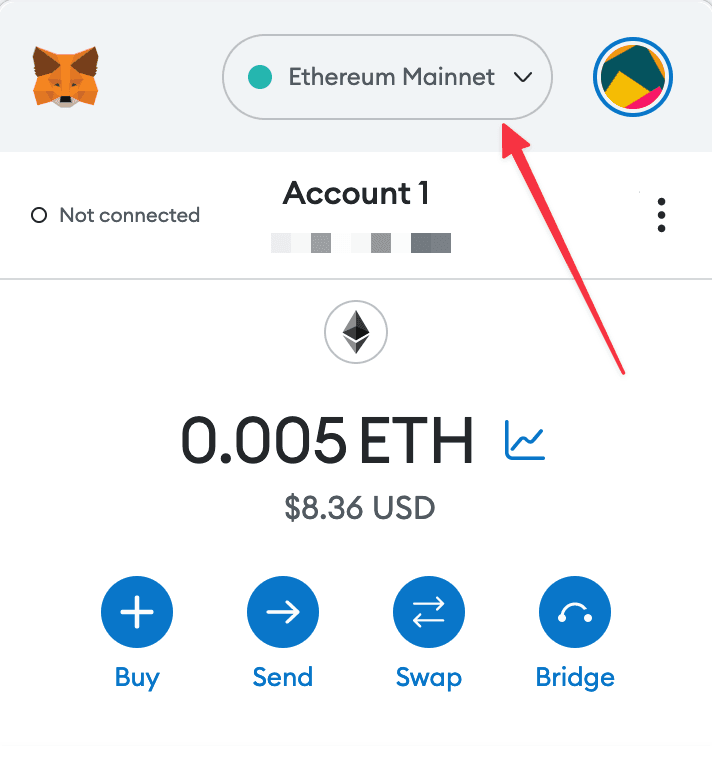
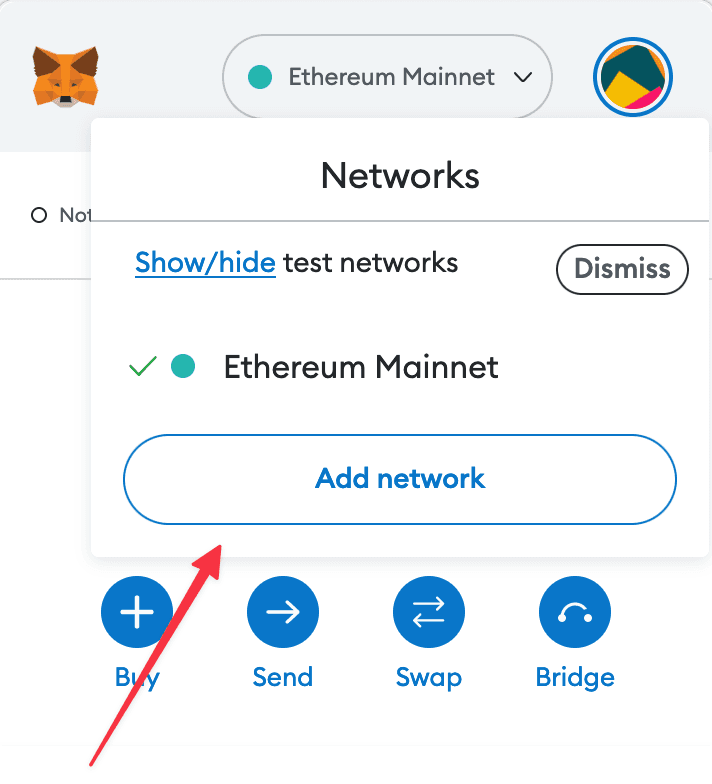
2. Enter the required details and click "Save".
After entering all the required details, you can click "Save" to add Arc to MetaMask.
Alternatively, you can use our one-click button so you don't need to enter the required details manually.